Matchmaking & Server Browser are now available as a Unity SDK
Matchmaking and Server Browser are now available as a Unity SDK, and here's what that means for your game.
Until now, integrating Edgegap's Matchmaking or Server Browser into a Unity project meant working directly against our REST APIs: writing your own HTTP client, handling retries, managing error states, defining C# types for every API response, and building the full player lifecycle (ping measurement, ticket creation, polling, host assignment) yourself. That's a solid amount of boilerplate before you write a single line of game logic.
The SDK changes that. It's a single Unity Package Manager install (one git URL, a few clicks) and it gives you production-ready C# agents that handle everything: ping automation, ticket management, server instance lifecycle, seat reservations, heartbeat maintenance, conflict detection, and retry/backoff. Complete working sample scenes are included so you can see a full server + client integration running immediately, then extend it to fit your game.
The result is a dramatically shorter path from "I want matchmaking" to "matchmaking works in my build." The SDK is free, cross-platform, supports Unity 2021.3+ including Unity 6 LTS, and is designed to be customized.
—
Release Note (2026.05.13)
▶️ A new (major!) Matchmaking & Server Browser update (1.0.0) is available! Make sure to use this version in production.
⚠️ This includes breaking changes for Matchmaking. Review the upgrade steps.
In detail, the update includes these ✨ all-new ✨ components:
Server Browser v1.0.0
Find servers in your region quickly and easily with Auto-Assigned Seat Reservations.
Disable Scaling Policies temporarily by setting
statustodraftorarchive.Update existing Scaling Policies with a new
PATCHmethod.
Server Browser & Matchmaking's Unity SDK v3.0.0
Introducing Server Browser SDK features with full integration examples for server and client!
New Unity integration and customization guides for Matchmaking and Server Browser.
Stop servers and read Injected Variables with expanded Matchmaking Simple Example.
Stop servers and read Injected Variables with new Deployment Agent sample — supports projects which do not use Matchmaking or Server Browser.
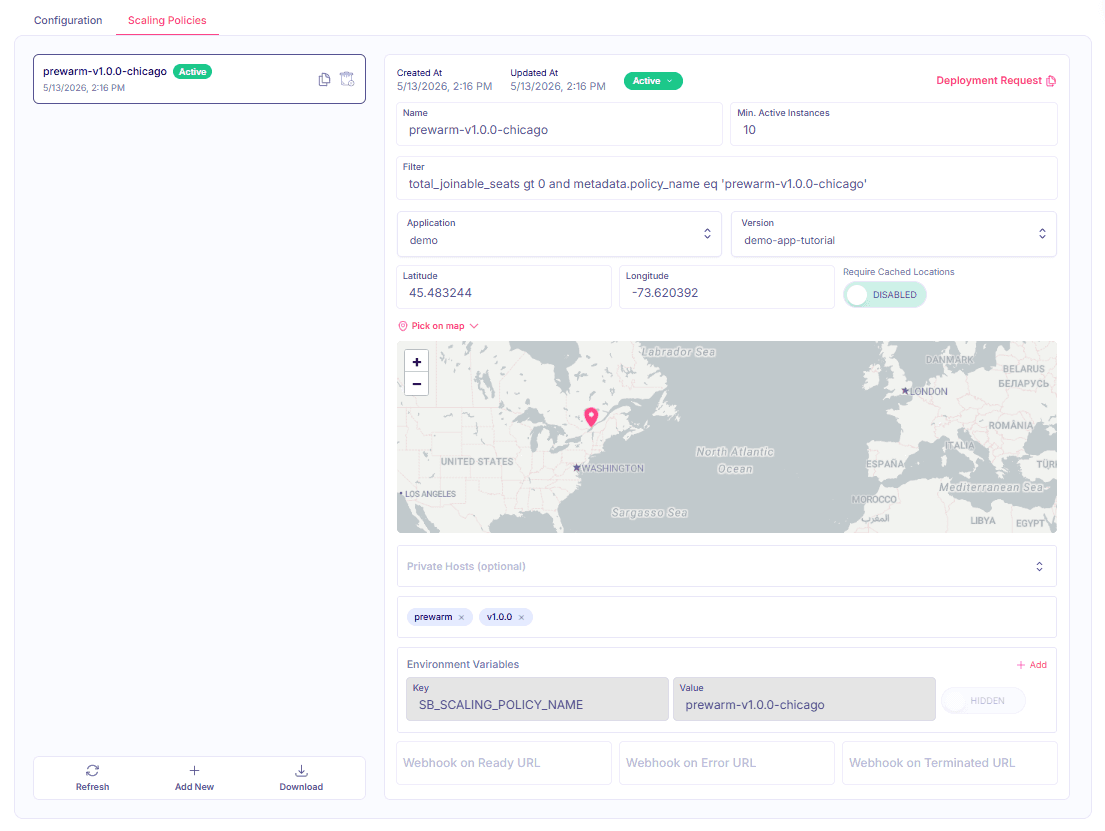
Here's a preview of what the updated Server Browser looks like in the Dashboard:
Additionally, we've got a lot more as part of this release:
✨ New
Container Registry improvements for Continuous Integrations:
🦾 Improvements
Server Browser v1.0.0
Added complete information of all slots to the
GETserver instance API response.Added more detailed service health indications in monitoring API.
Various openapi specification improvements for examples and response codes.
Improved error messages for scaling policy builder form in dashboard.
Unity SDK v3.0.0
Mitigated duplicate tickets belonging to the same player by adding conflict detection.
Exposed more matchmaking error events for custom error handling and UI integration.
Improved customization and reuse by making all utilities scripts public.
Simplified parametrized events' filtering with unified syntax, e.g.
updated [{status}].Improved customization for request backoff and retry parameters.
Private Fleets
List private fleet hosts API now only returns active hosts (excl. hosts in maintenance).
Other Improvements
Keep track of your releases with Analytics container count displaying up to 7 days of data.
Display redacted billing page to unprivileged users in dashboard. Sensitive information still requires organization Administrator or Owner privileges (ask your organization owner).
Deployment archive now uses a default filter unless a user-defined filter is available.
✅ Fixed
Unity SDK v3.0.0
Improved reliability of matchmaking queue abandonment for sudden client exit — APIs no longer apply backoff waiting period on the first (non-retry) attempt.
Prevented code stripping for Android and iOS builds using
AlwaysLinkAssemblyannotation.
Additional Fixes
Prevent silent fail when bulk deleting versions including a version(s) used by a Matchmaker.
Caching indicator will only show up once a version is saved with active caching enabled (UI fix).