Integrations

Integrations

Discover Edgegap's compatibility with major game engines and netcodes, alongside container registry, log storage, and more.

One price worldwide for usage — no tiers, no regional variations, 100% for compute.

Integrate with Your AI Development Workflow

Edgegap has an MCP server and agent skills. Let your AI coding assistant, such as Claude Code, Cursor, VS Code or Codex, containerize, deploy and debug your game servers on Edgegap, and add matchmaking.

Requires an Edgegap API token

Game Engines

Unity logo with the line: Add dedicated servers and matchmaking easily

Unity Engine

Containerize your Unity server with your AI agent or the Edgegap plugin, deploy it near players from a simple API call, and add matchmaking.

Unreal Engine logo with the line: Add dedicated servers and matchmaking easily

Unreal Engine

Containerize your Unreal server with your AI agent or Docker's Unreal extension, deploy it near players from a simple API call, and add matchmaking.

Containerize your Unreal server with your AI agent or Docker's Unreal extension, deploy it near players from a simple API call, and add matchmaking.

Godot Engine logo with the line: Add dedicated servers and matchmaking easily

Godot Game Engine

Containerize your Godot server with your AI agent or the Edgegap plugin, deploy it near players from a simple API call, and add matchmaking.

Unity WebGL logo with the line: Host browser games on dedicated servers

Unity WebGL

Host Unity WebGL games on dedicated servers. Players connect from the browser over secure WebSockets, and matchmaking is one step more.

Unity Git Package Manager: how to add Git packages in Unity

Unity Package Manager

Install the Edgegap plugin and SDK in Unity from a Git URL, in a few steps.

Backend & Services

Unity Gaming Services logo: deploy dedicated servers from UGS Matchmaker

Unity Gaming Services (UGS) - Matchmaking

Keep Unity's matchmaker and let it start an Edgegap dedicated server near the matched players.

Heroic Labs Nakama logo: deploy dedicated game servers from Nakama

Nakama

Nakama matches players, then starts an authoritative game server on Edgegap for each match.

PlayFab logo: deploy dedicated game servers from PlayFab

PlayFab

Keep PlayFab matchmaking and deploy an Edgegap dedicated server near the players for every match.

Epic Online Services logo: deploy dedicated servers from EOS Lobbies

EOS Lobbies

Keep EOS Lobbies: your backend deploys an Edgegap dedicated server when the lobby is ready and shares its address.

Colyseus logo: deploy Colyseus dedicated servers easily

Colyseus

Host any Colyseus game on dedicated servers near your players, and add matchmaking.

JavaScript logo: deploy dedicated servers for JavaScript browser games

JavaScript

Host Three.js, Phaser or Babylon.js browser games on dedicated servers with your AI agent, and add matchmaking.

Steamworks Lobbies logo: deploy dedicated servers from Steam lobbies

Steam Lobbies

Keep Steam lobbies: your backend verifies players, deploys an Edgegap server and puts its address in the lobby.

API brackets icon: deploy dedicated servers for custom game engines

Custom Engine

Host any custom engine: containerize your server, deploy it near players from a simple API call, and add matchmaking.

Edgegap Unity SDK logo with the line: Add matchmaking to any Unity game

Unity Matchmaking SDK

Add matchmaking to any Unity game. Matched players join a dedicated server deployed near them.

Unreal Engine Matchmaking with the line: Add matchmaking to Unreal games

Unreal Matchmaking

Add matchmaking to any Unreal game. Matched players join a dedicated server deployed near them.

Edgegap Unity SDK logo with the line: List and deploy servers with Server Browser

Unity Server Browser

Let players browse and join live dedicated servers from inside your Unity game.

Manus logo: deploy dedicated servers for Manus AI games

Manus AI

Give your Manus-built browser game dedicated servers near its players, set up by your AI agent.

Netcodes - Dedicated Servers

Mirror Networking logo: add dedicated servers easily in Mirror

Mirror Networking

Take your Mirror server to dedicated hosting near players with your AI agent or the Edgegap plugin, then add matchmaking.

Take your Mirror server to dedicated hosting near players with your AI agent or the Edgegap plugin, then add matchmaking.

Unity Netcode for GameObjects logo: deploy dedicated servers using NGO

Netcode for GameObjects

Host your NGO server near players with your AI agent or the Edgegap plugin, deploy from a simple API call, and add matchmaking.

FishNet logo: add dedicated servers in FishNet

Fish Networking

Take your FishNet server to dedicated hosting near players with your AI agent or the Edgegap plugin, then add matchmaking.

Photon Fusion logo: add dedicated servers to Photon Fusion 2

Photon Fusion 2

Photon Fusion 2

Host Fusion 2 servers on Edgegap while players keep finding matches through Photon. Your AI agent can set it up.

PurrNet logo: add dedicated servers easily in PurrNet

PurrNet Netcode

Add dedicated servers to any PurrNet project with your AI agent or the Edgegap plugin, then add matchmaking.

netfox logo: add dedicated servers in netfox

netfox Netcode

Add dedicated servers to Godot games built on netfox with your AI agent or the Edgegap plugin, then add matchmaking.

Relays

LightNet Relay for Unity: your own relay in a dedicated server, with room codes

LightNet Relay

An open-source relay you run on a dedicated server and can extend with your own game logic. Players host and join with a room code on Mirror, FishNet, PurrNet or NGO. Player IPs stay hidden from each other, nobody opens a port or fights NAT, and you choose where it runs, so no shared relay network decides your route.
Edgegap Distributed Relays for Unity: managed relays for Mirror, NGO and Fish-Networking

Unity Relays

Managed relays for Mirror, NGO and Fish-Networking, created from a simple API call.

Game Samples

Unreal Engine Lyra sample gameplay: integrate dedicated servers in Lyra

Unreal Engine - Lyra

Add dedicated game server hosting to Unreal's Lyra multiplayer sample.

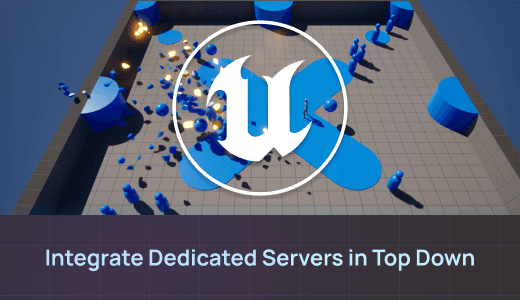
Unreal Engine Top Down template gameplay: integrate dedicated servers

Unreal Engine - Top-Down Sample

Add dedicated game server hosting to Unreal's Top Down template.

Unity Boss Room co-op sample: add dedicated game servers to Boss Room

Unity - Boss Room (NGO)

Run Unity's Boss Room co-op sample on dedicated servers, with optional matchmaking for 2 to 8 players.

Photon Fusion 2 Asteroids sample gameplay: add game servers to Asteroids

Photon Fusion 2 - Asteroids Sample

Add dedicated game servers to Photon's Asteroids sample, adapted by Edgegap.

Photon Fusion 2 Simple FPS gameplay: add dedicated game servers to Simple FPS

Photon Fusion 2 - Simple FPS

Photon Fusion 2 - Simple FPS

Run Photon's Simple FPS sample on Edgegap dedicated servers with a drop-in kit.

Photon Fusion 2 BR200 battle royale gameplay: add dedicated game servers to BR200

Photon Fusion 2 - BR200

Host Photon's battle royale sample with one dedicated server per match, near the players.

Host Photon's battle royale sample with one dedicated server per match, near the players.

Mirror Networking Tanks sample gameplay running in a WebGL browser build

Mirror Networking - Tanks (WebGL)

Mirror Networking - Tanks (WebGL)

WebGL players find a match with Edgegap's matchmaker and join a dedicated server over secure WebSockets.

Mirror Networking Pong sample: add game servers to Mirror's Pong

Mirror Networking - Pong

Deploy a dedicated game server with Mirror's Pong sample and the Edgegap plugin for Unity.

Deploy a dedicated game server with Mirror's Pong sample and the Edgegap plugin for Unity.

PurrNet Incremental sample: add game servers to PurrNet's Incremental sample

PurrNet - Incremental Game Sample

PurrNet - Incremental Game Sample

Run PurrNet's Incremental sample on dedicated servers that stop themselves when players leave.

FishNet Hashgrid demo: add game servers to FishNet's Hashgrid demo

FishNet - Hashgrid

FishNet - Hashgrid

Add a dedicated game server to FishNet's Hashgrid demo with the Edgegap plugin for Unity.

Add a dedicated game server to FishNet's Hashgrid demo with the Edgegap plugin for Unity.

Nakama Fish Game gameplay: add game servers to Nakama's Fish Game

Nakama - Fish Game

Nakama matches players, then starts a Godot 4 dedicated server on Edgegap for each match.

Nakama matches players, then starts a Godot 4 dedicated server on Edgegap for each match.

netfox Forest Brawl sample: add game servers to netfox's Forest Brawl

NetFox - Forest Brawl

NetFox - Forest Brawl

Deploy a dedicated game server for netfox's Forest Brawl sample with the Edgegap plugin for Godot.

Deploy a dedicated game server for netfox's Forest Brawl sample with the Edgegap plugin for Godot.

Unity Megacity Metro mobile gameplay: add dedicated servers to Megacity Metro

Unity - Megacity Metro (Mobile)

Unity - Megacity Metro (Mobile)

Run Unity's Netcode for Entities shooter on dedicated servers, with matchmaking and backfill.

FishNet SpaceEdge WebGL gameplay: add game servers to FishNet's SpaceEdge

Fish Networking - SpaceEdge (WebGL)

Play FishNet's space shooter in the browser on dedicated servers over secure WebSockets.

Play FishNet's space shooter in the browser on dedicated servers over secure WebSockets.

Godot Arena Shooter gameplay: add dedicated game servers to Arena Shooter

Godot Engine - Arena Shooter

Godot Engine - Arena Shooter

Players press Find Match and the matchmaker starts a Godot 4 dedicated server near them.

Container Registry

Docker Hub logo: store game server images in Docker Hub

Docker Hub

Store your container images to be accessible when deploying your game servers using Docker.

GitLab logo: store game server images in GitLab's container registry

GitLab

Using GitLab to store your game servers as to deploy them with Edgegap's orchestration.

Google Cloud logo: store game server images in Google Cloud

Google Cloud for Games

Google Cloud for Games

Leverage Google Cloud for Games to store your container image when using Edgegap's platform.

AWS logo: store game server images in Amazon ECR

Amazon Elastic Container Registry (ECR)

Store your container images to be accessible when deploying your game servers using AWS.

Automatic Log Storage

AWS logo: store deployment logs in an Amazon S3 bucket

Amazon Web Services

Endpoint Storage allows you to register an S3 Bucket on Edgegap. This allows you to store some data from your deployment like the container's log.

Linode logo: store deployment logs in Akamai Connected Cloud

Akamai Connected Cloud (Linode)

You can register an S3 bucket on Edgegap by using Endpoint Storage. This lets you store logs from your container and other deployment-related data.