Containers
A container is a running, isolated instance of a packaged application and everything it needs to execute. For multiplayer it typically holds one game server process for one match: started when the match begins, destroyed when it ends. Isolation means a crash in one server stays inside its container, leaving the others on its host running.
Also called
containerization, containerisation
,
Why Does Each Match Get Its Own Container?
Because a match is the natural unit of a game server's life. Matchmaking forms a match, a container starts from the server image, players connect, the match plays out, and the container is destroyed. The next match gets a new container, started from the same image.
That gives every match the same starting point: nothing left over from the previous match, no leaked memory, no stale state, no half-finished save. A bug that only appears after a server has run for six hours rarely gets the chance in a 20-minute match.
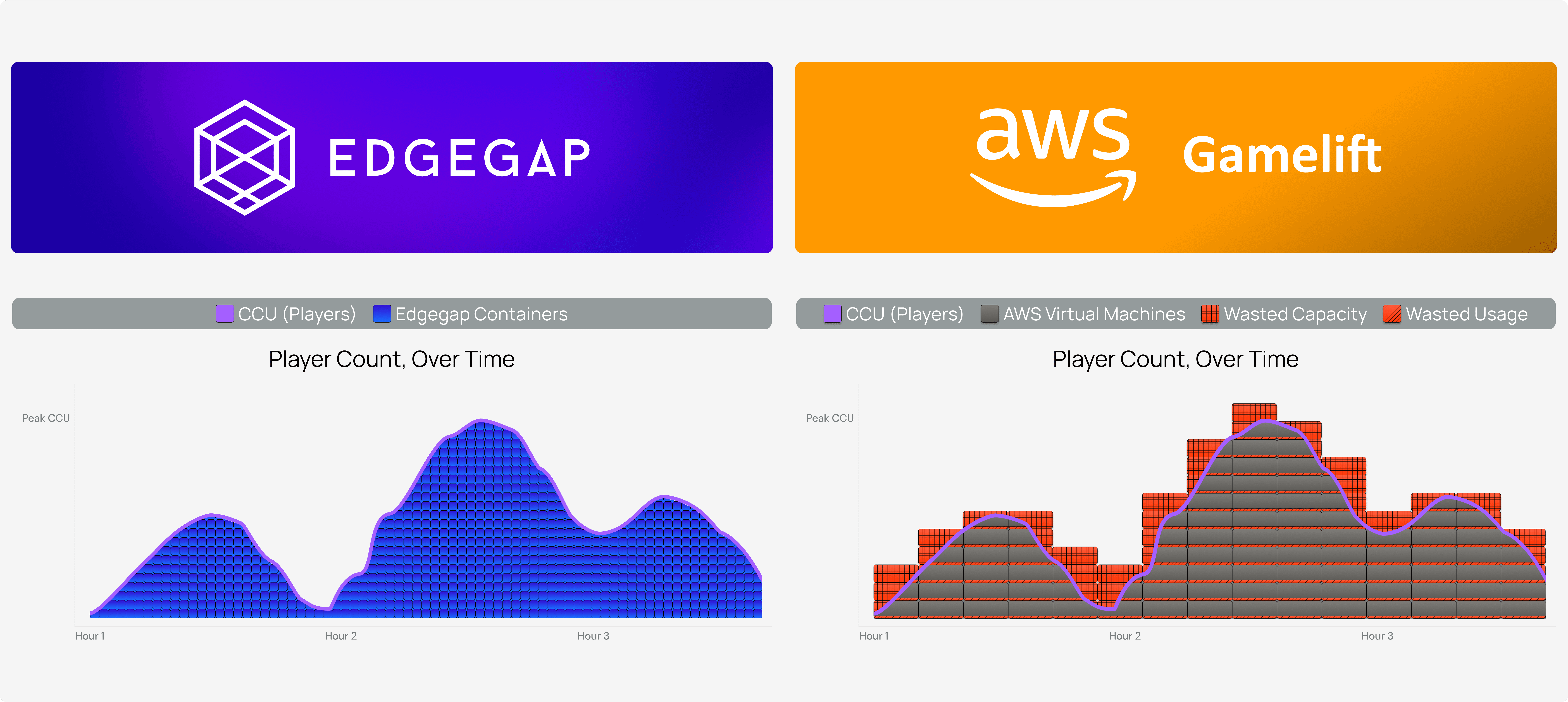
It also changes what you pay for. A server that exists only while a match runs is billed only while a match runs, instead of a machine kept on for the busiest hour. A long-running server process that takes match after match can work too, but it carries state from one match to the next and needs its capacity planned in advance.
Not every game fits the pattern. Persistent worlds, and multi-room servers that host many matches in one process, run much longer. The last section below covers how they stay healthy.

What Does a Container Isolate, and What Does It Share?
A container separates a server's process, files and resource allowance from the containers beside it. If one server crashes or leaks memory, the problem stays in its container and the matches next to it keep running.
Limits are what make sharing a host safe. Each container gets a CPU and memory allowance, and the host enforces it strictly. That is what keeps a noisy neighbour out of the picture: a busy match next door cannot take the CPU or memory another server was given, so sharing a host with other matches, or with other studios' servers, does not change how your match runs. The pitfall runs the other way: a server that goes over its memory limit is stopped by the host, mid-match. Measure peak memory at your target player count and set the limit above it, sized for the busiest moment of a match rather than the average.
Containers also share the host's network, and that is where many first deployments stumble. A game server listens on a port inside its container, usually UDP, and the host maps it to a different port outside. Players need the outside one. A server that reports its internal port, or a client that assumes a fixed port, cannot connect. The orchestrator knows the mapping, and passes the external address and port to whatever gives players their connection details.
For how a container compares with a virtual machine, see Docker.
Where Does Match Data Go When the Container Is Destroyed?
Nowhere, unless you send it somewhere first. A container's filesystem disappears with it, so anything worth keeping has to leave before the match ends.
Match results and player progress. Write them to your backend, such as a database or a player data service, as the match ends, not on a timer that a shutdown can interrupt.
Logs. Ship them to external storage. On Edgegap, container logs are deleted once a deployment stops, and the documentation advises a third-party S3 bucket to keep them, registered through Endpoint Storage (documentation). Set the bucket up before your first real playtest, not after the first crash you cannot explain.
Crash dumps and replays. Same rule as logs, if you will want them later.
Persistent worlds are the exception, because their state has to outlive any single container. The world is saved to storage outside the container at a regular interval, and a new container loads it when it starts. That interval decides how much progress a crash can cost.
How Do Studios Keep Game Server Containers Healthy?
Two habits cover most of it.
Recycle on a schedule. Even a server that is never meant to stop benefits from being replaced, because memory leaks and drift build up the longer a process runs. Edgegap's Edge Cloud caps a container's runtime at 24 consecutive hours (pricing), which builds the habit in. For persistent servers, the usual approach is to bring a new container up, move players across or let the old one empty, then stop it, during the quietest hours.
Tag every image uniquely. Each build becomes an image with a tag that is never reused, such as a date with a counter or a commit hash. A test branch and live can then run side by side from different tags, and a rollback means pointing live back at the previous tag rather than rebuilding. Keep the environment name out of the tag, so the build that passed testing is the exact build that ships.


A word from our sponsor (ourselves!)
Warm pools make allocation fast because you pay for servers that sit idle. Edgegap provisions a fresh game server in a median of 2 seconds from cold start, measured to container ready before your engine starts, so a server exists only once a match needs one.
Edgegap's Take (just our opinion, take it with a grain of salt!)
Treat Every Container as Disposable
A container is built to be stopped. The servers that cause trouble are the ones designed as if theirs never will be.
Design so that losing a container costs nothing: results written out as the match ends, logs in a bucket, a recycle on a schedule. Then test it. In a playtest, stop a container mid-match and list what was lost. Every item on that list is a bug, and it is usually cheaper to find it this way than from a player report.
Disposable only works if replacing a container is fast. On Edgegap, the median server deployment time from a cold start is 2 seconds over a rolling 30 days, measured to container ready, before the game engine starts (platform data, 18 September 2026).
,